GOALMATE
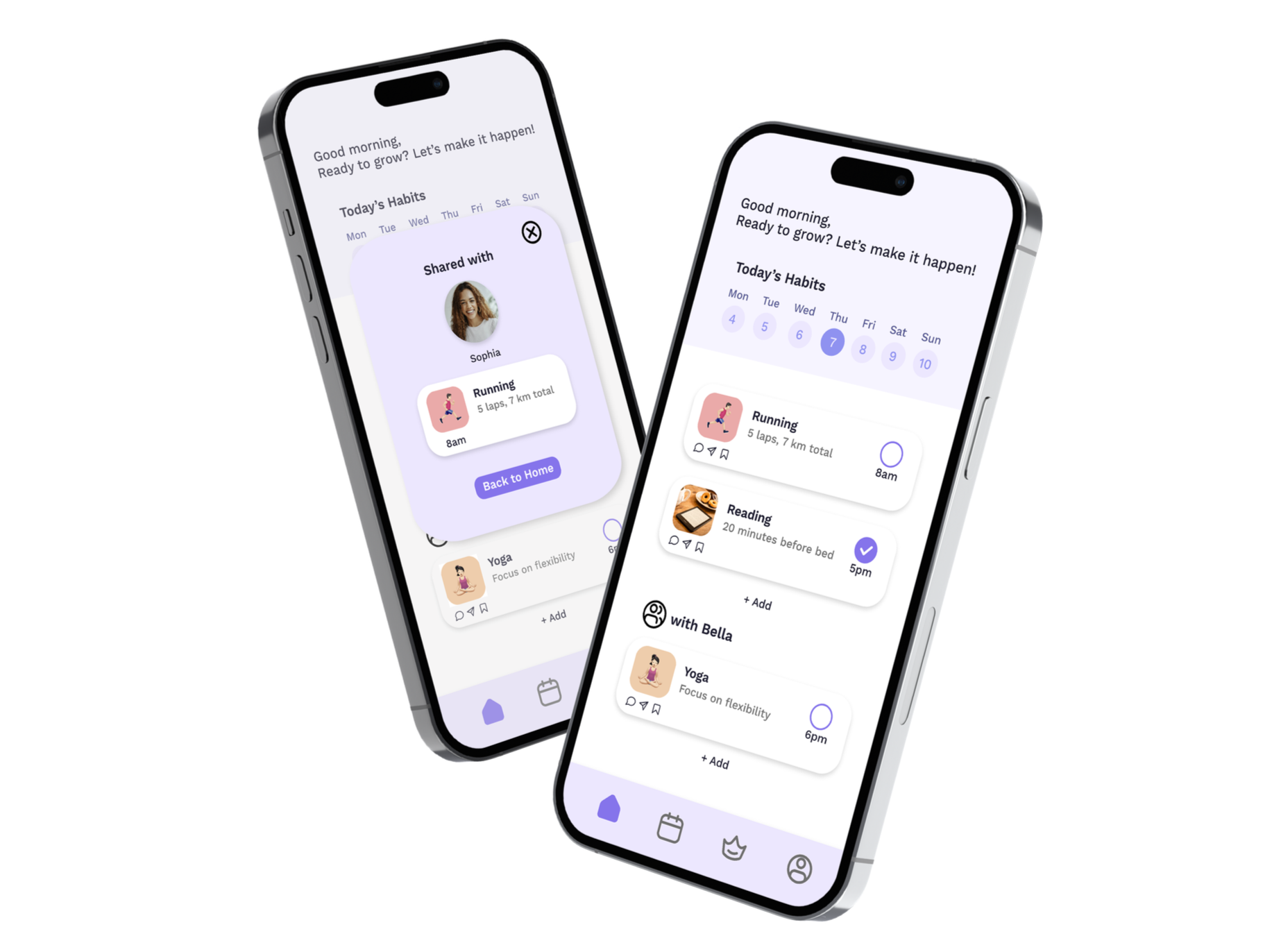
A supportive habit building app designed to help busy adults stay consistent without pressure.
TIMELINE
Research → Prototype → Testing
ROLE
UX Designer
TOOLS
Figma, Paper Prototyping, User Interviews
Overview
GOALMATE is a cross platform habit building app designed for adults aged 30–40 who struggle to balance work, personal life, and self-improvement.
The goal was to create a calm, intuitive system that supports daily routines, reduces cognitive load, and strengthens motivation through gentle social accountability.
This project was completed through multiple stages of research, ideation, prototyping, and high fidelity testing.
Problem
Busy adults struggle to maintain habits due to time constraints, low motivation, and overwhelming tools.
Challenge 1
Hard to balance work, family, and personal goals
Challenge 2
Low motivation over time
Challenge 3
Existing apps feel overwhelming
Challenge 4
Too many notifications lead to disengagement
DESIGN CHALLENGE
How might we help busy adults build and maintain habits without adding stress to their daily lives?
Research Process
User Interviews
Conducted semi structured interviews with 6 participants aged 30–40, focusing on their daily habits, routines, app usage, and motivation patterns.
Key Insights
Motivation is inconsistent
Users struggle with burnout and busy schedules, making it difficult to maintain long-term commitment.
Notification fatigue
Too many notifications cause users to disengage. Gentle, customizable reminders are preferred.

Visual progress helps
Charts and visual tracking significantly increase motivation and habit consistency.
Simplicity matters
Clean UI and minimal steps are critical for maintaining user engagement and reducing cognitive load.

Social = optional, not public
Users prefer sharing progress with close friends rather than broadcasting publicly.

Persona
Based on interview insights, I developed personas representing different lifestyles and motivations of our target users.
Alba
Designer • 32 • Spain → Australia
Recently moved to Australia, balancing new culture adaptation with establishing a gym routine. Seeks accountability through friends.
Goal: Stay motivated & hit the gym
Frustration: Language barriers, finding balance, establishing routines
Priya S
Restaurant Owner • 37 • Australia
Manages her restaurant while launching a new business. Extremely busy schedule with limited personal time.
Goal: Launch business & manage time effectively
Frustration: Constant innovation pressure, limited personal life
Ethan Thurner
Software Developer • 34 • Australia
New parent struggling to balance work with family. Limited time for hobbies but passionate about problem-solving.
Goal: Time management & connect with others
Frustration: Balancing work with family, limited hobby time
Lucas
Psychologist • 40 • Australia
Passionate about mental health, balances professional responsibilities with family. Values personal growth.
Goal: Connect with like-minded people, support family
Frustration: Separating work stress from personal life
Design Process
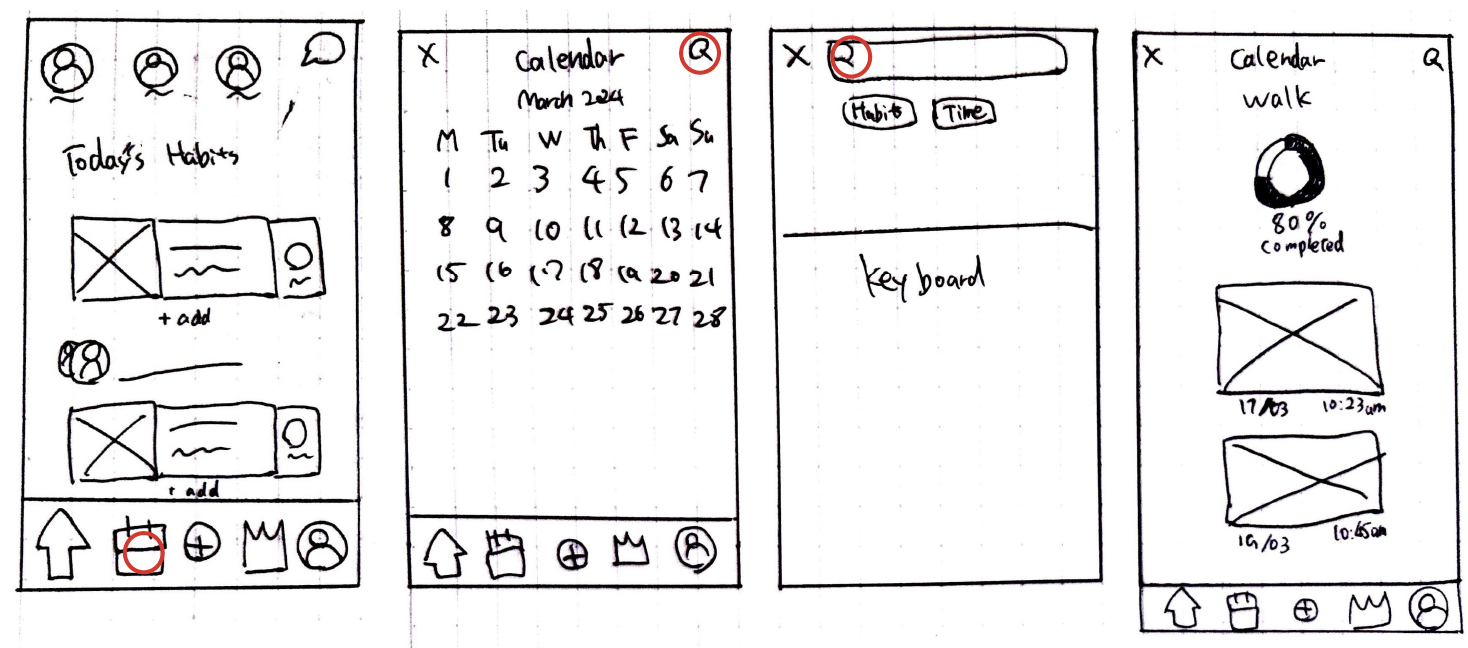
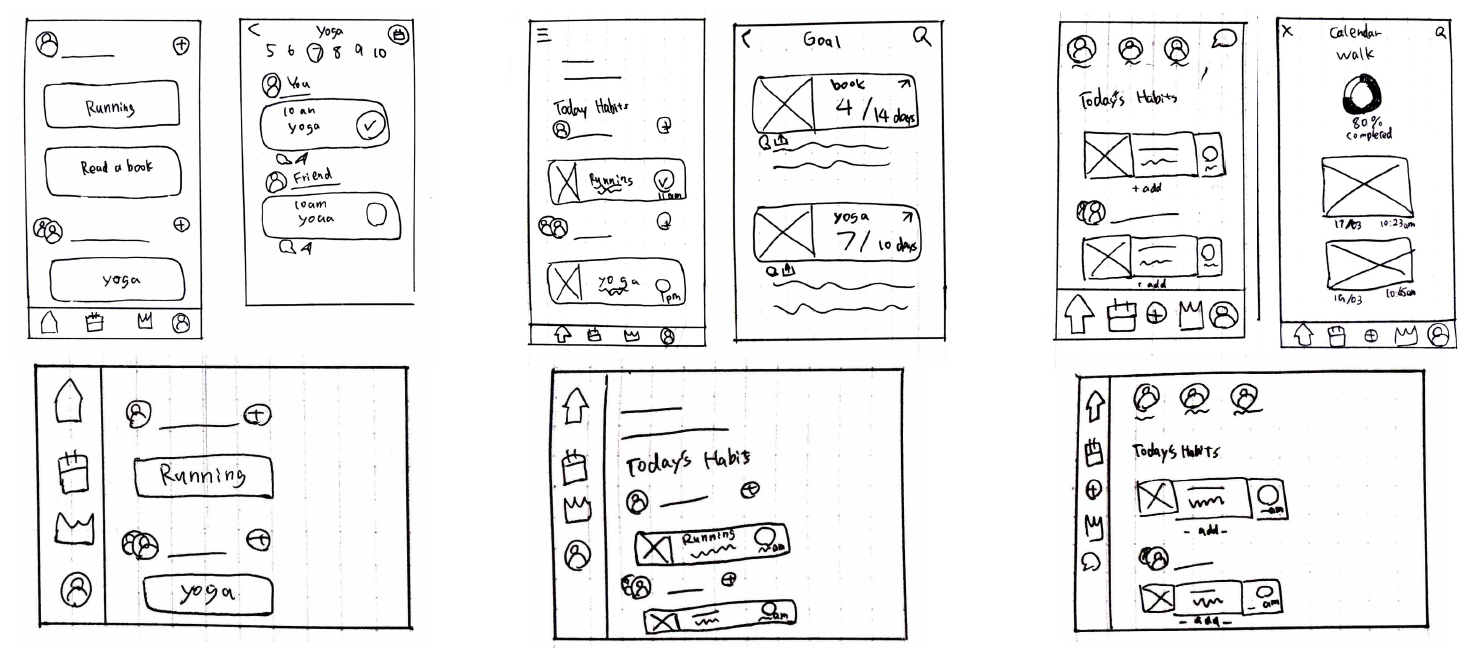
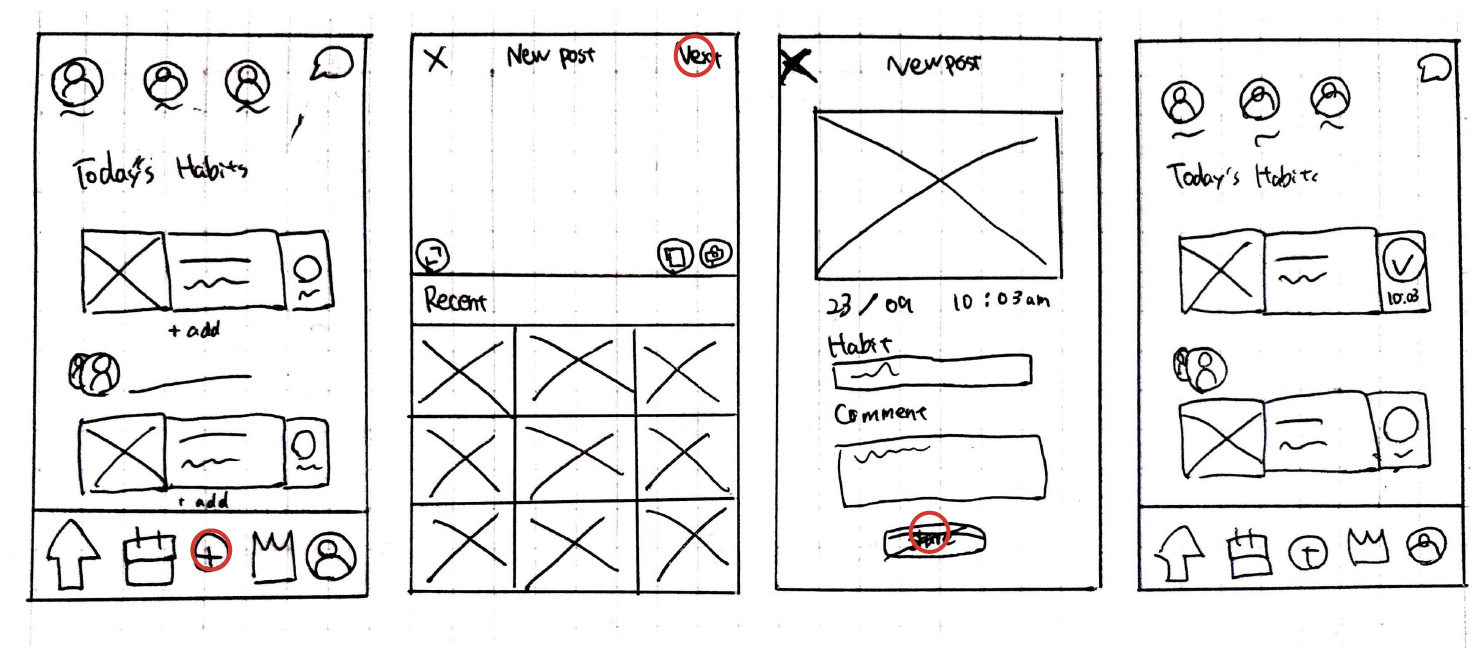
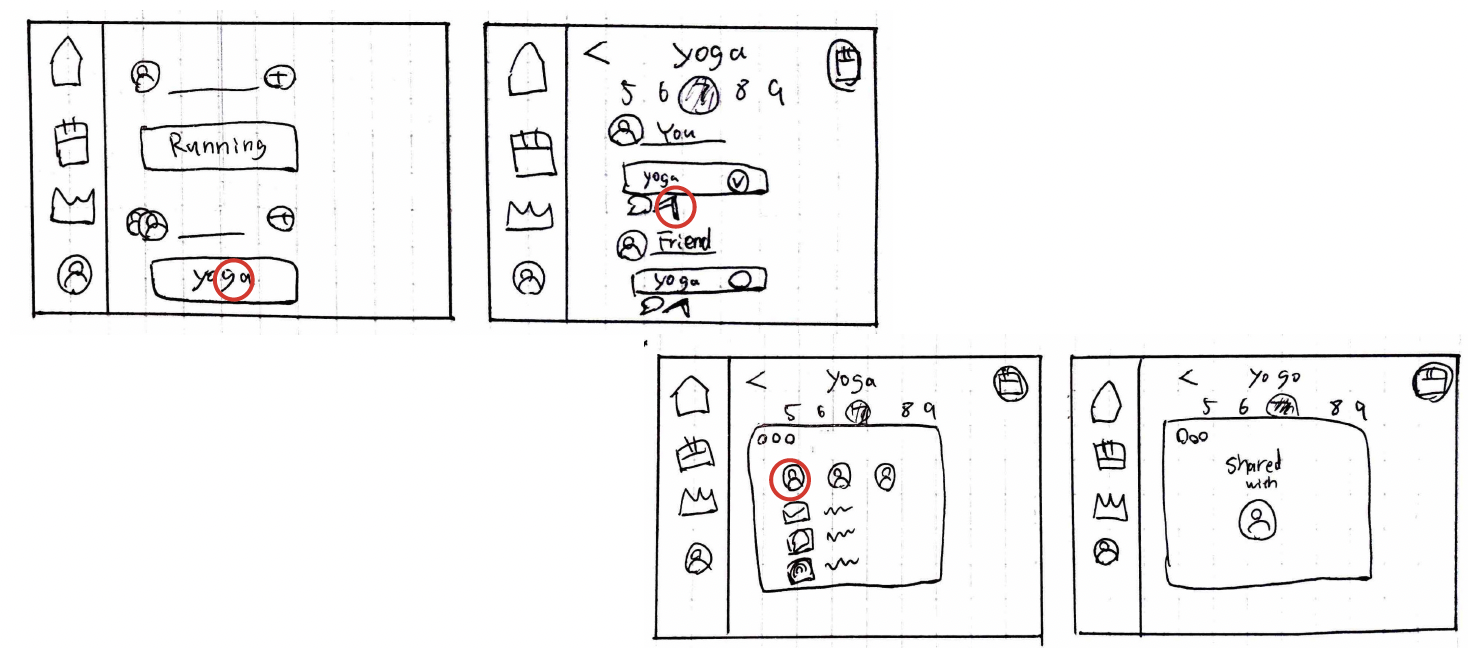
Paper Prototypes
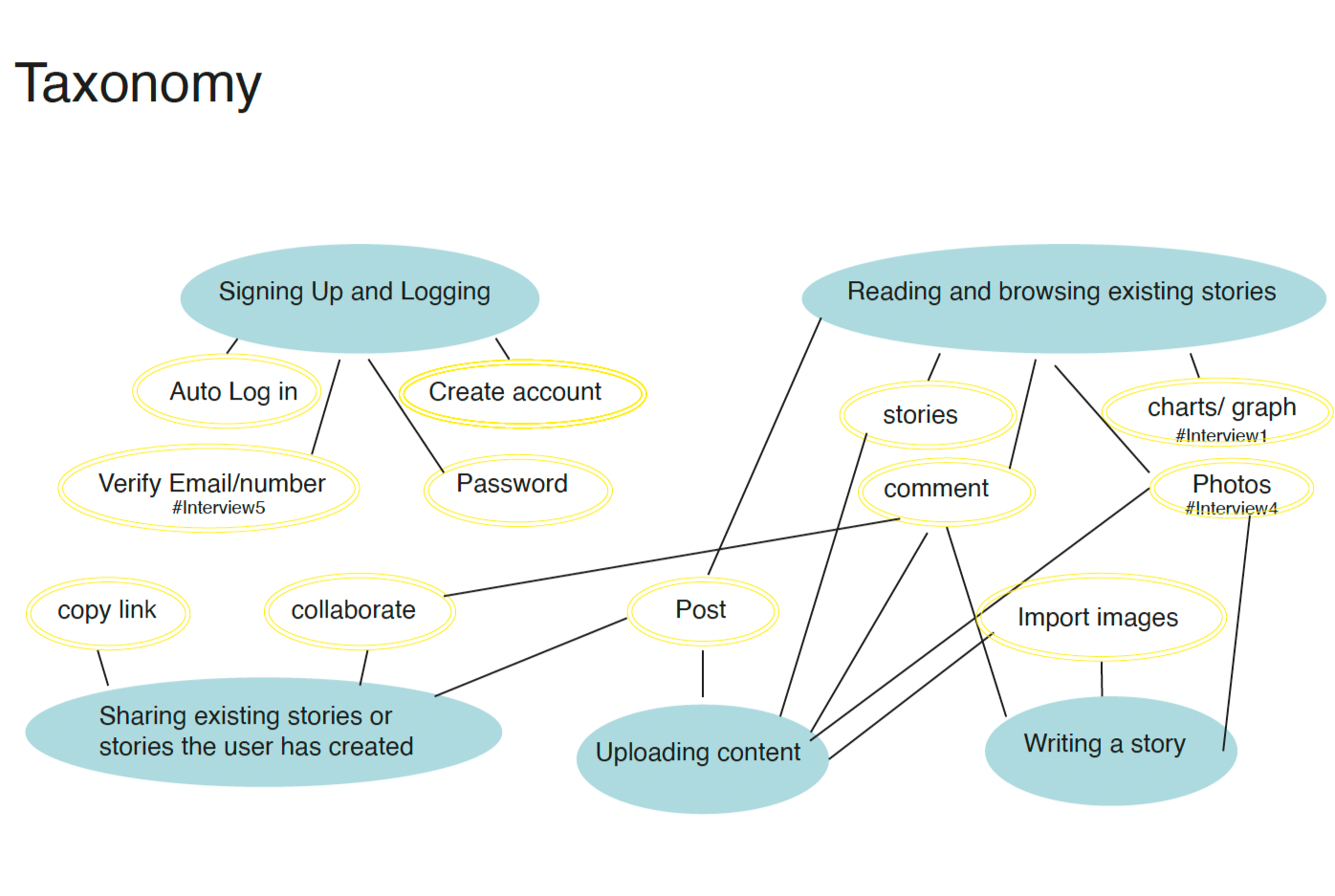
Started with paper prototypes to explore layout, navigation, and core functionality. These early iterations helped identify user flow issues before investing in digital design.
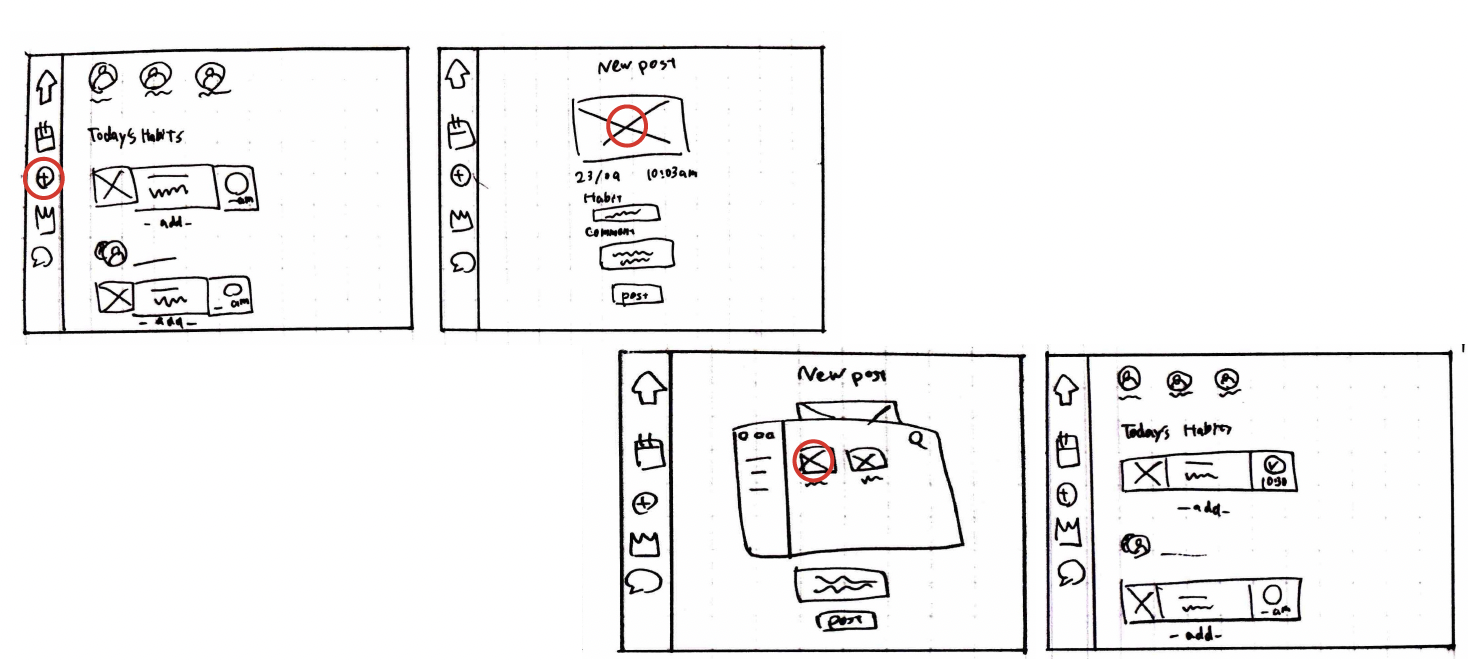
Design Iterations
Through multiple iterations, I refined the interface based on user feedback and testing insights. The design evolved from feature-heavy screens to a minimal, focused experience.
Iteration
Initial dashboard with all features visible. Simplified structure and clearer hierarchy.
Final Design (High-Fidelity)
Initial dashboard with all features visible
Brand Identity
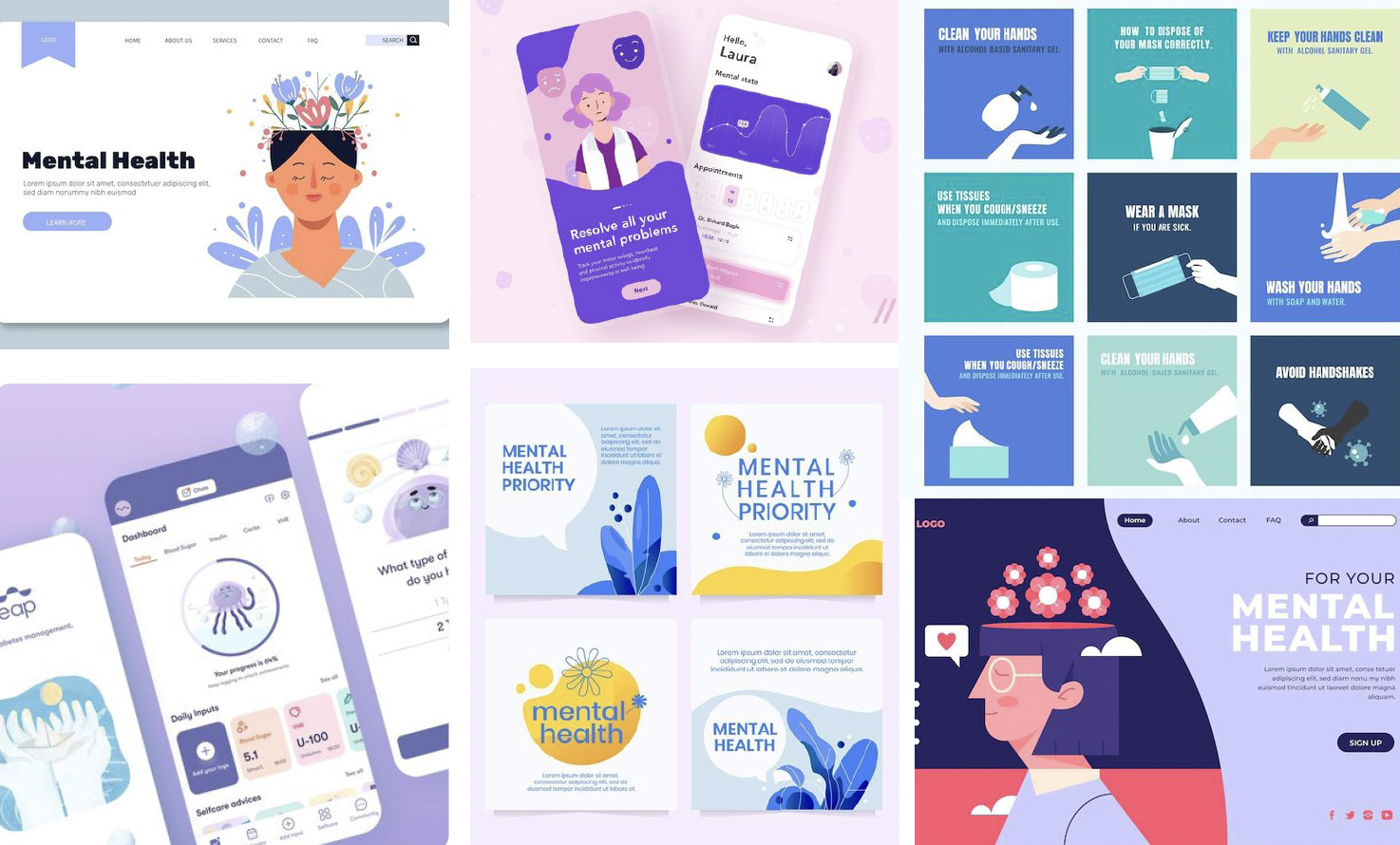
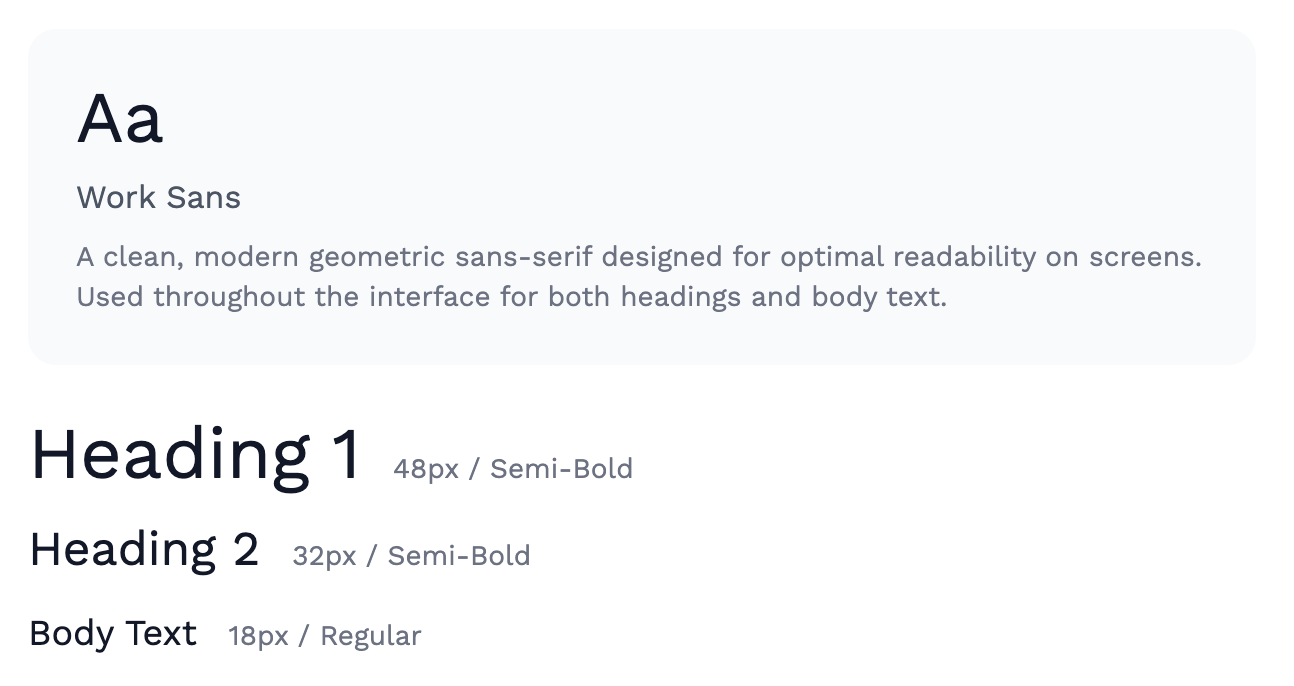
Developed a visual direction that balances professionalism with warmth. The moodboard emphasized calm colors, clean typography, and organic shapes to create a stress-free experience.
Moodboard
Color Palette
Primary
Secondary
Portage
#8574EB
Kashmir Blue
#4D5D98
Waikawa Gray
#565892
Dark tones
Light tones
Steel Gray
#212033
Titan White
#F6F4FF
Blue Chalk
#ECE7FE
Logo & Icon
Created a simple, memorable logo and icon system that works across all screen sizes and contexts.

Typography
Design Goals
Intuitive & Stress-Free
Create an experience that encourages habit formation without adding pressure
Ease of Use
Minimize steps and cognitive load with simple navigation
Customization
Incorporate customizable habit tracking and personalized goal-setting features
Progress Visualization
Provide clear, motivating visualizations of habit progress and analytics
Social Support
Enable private sharing with selected friends for accountability
Smart Reminders
Implement gentle, personalized reminders that avoid notification overload
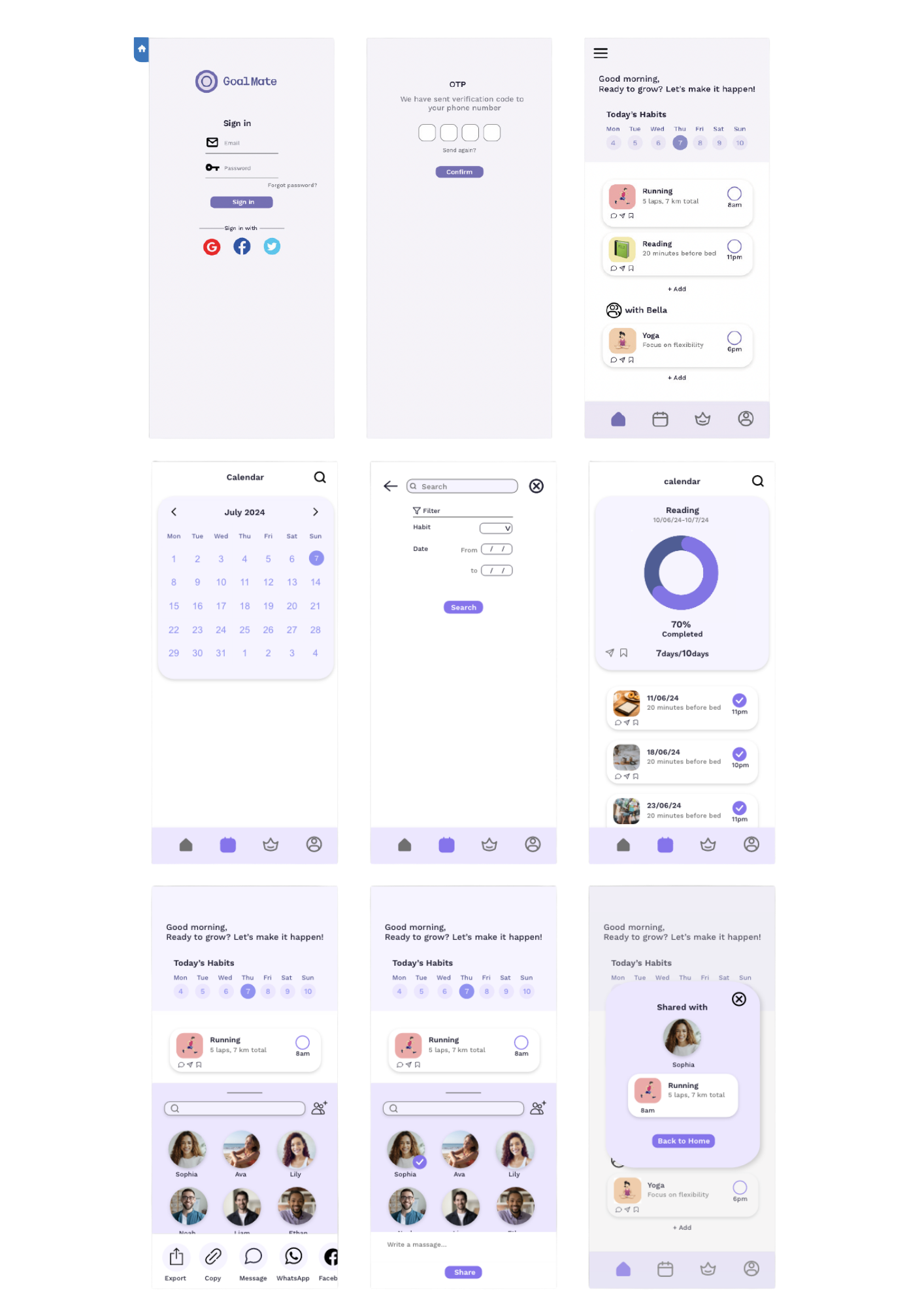
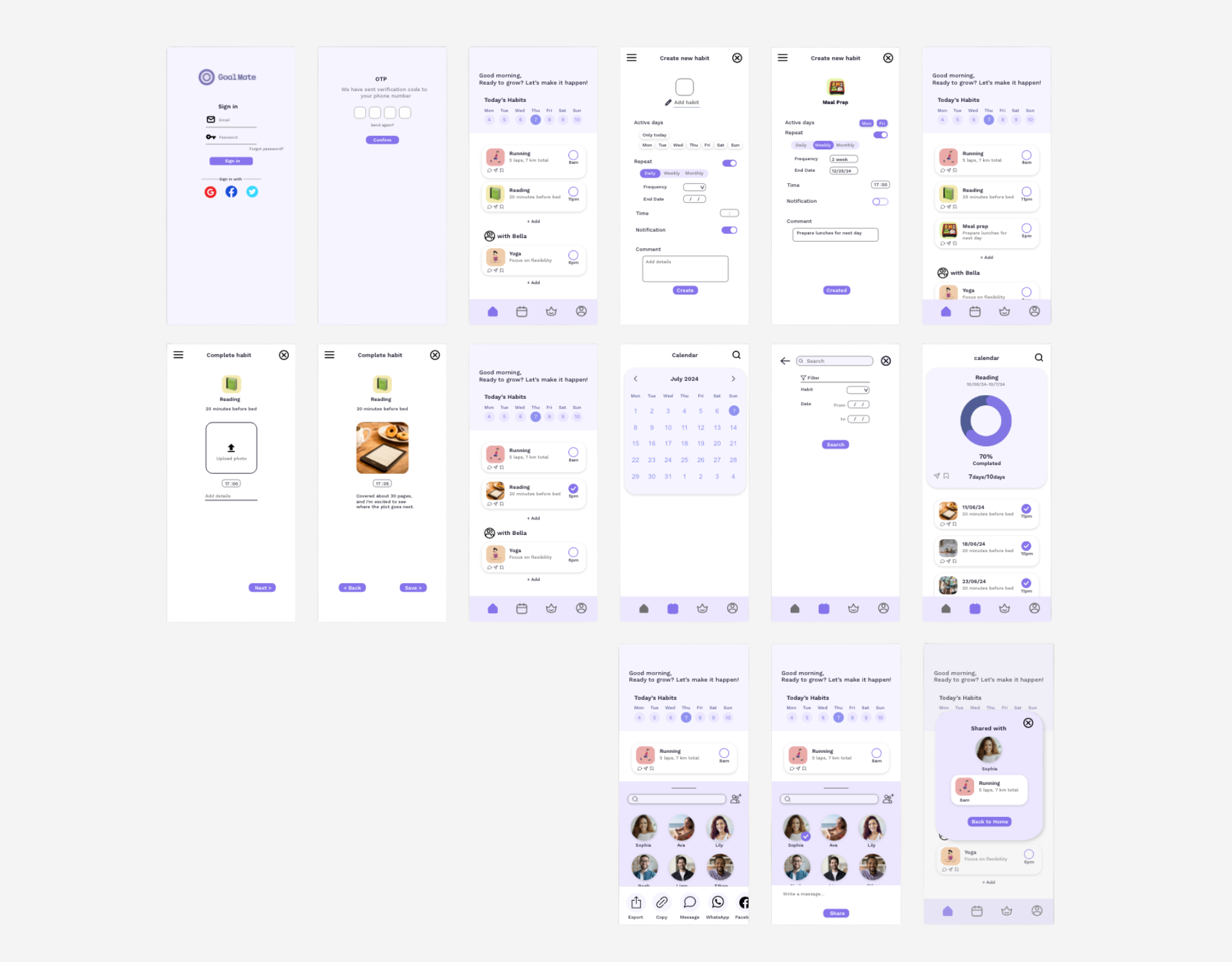
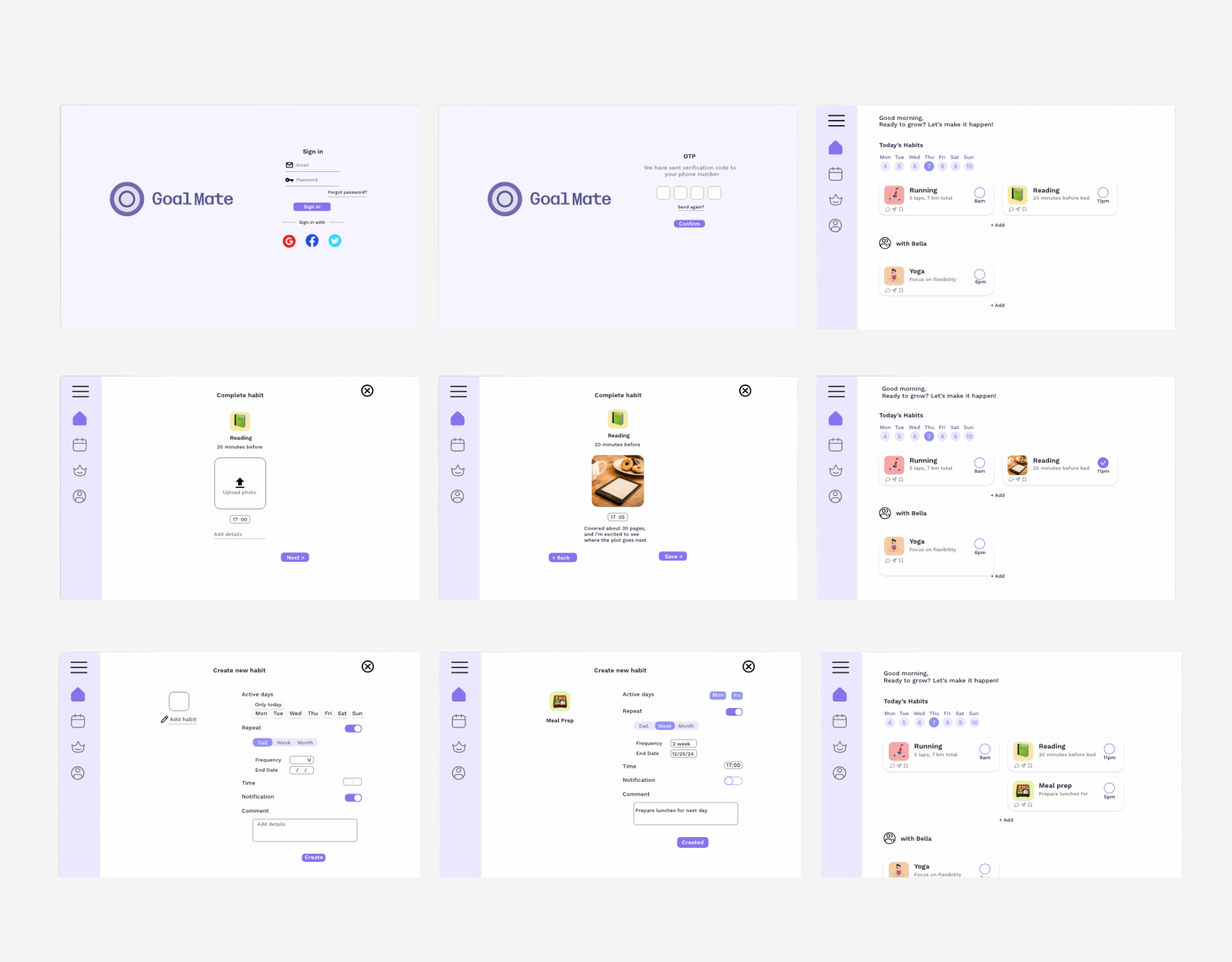
High-Fidelity Designs
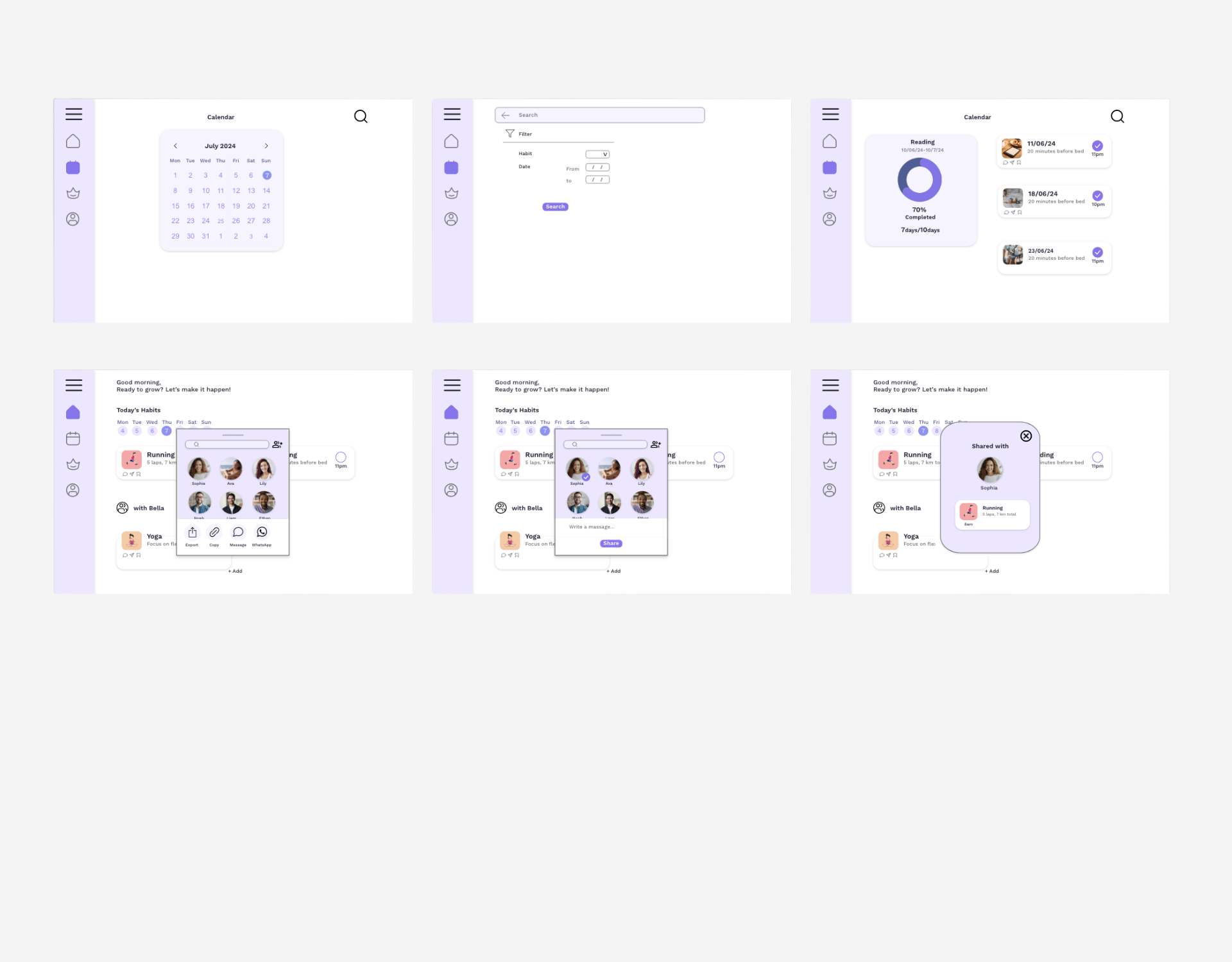
Final designs showcase the complete user experience across all key screens, from onboarding to daily habit tracking and progress analytics.
Key Features
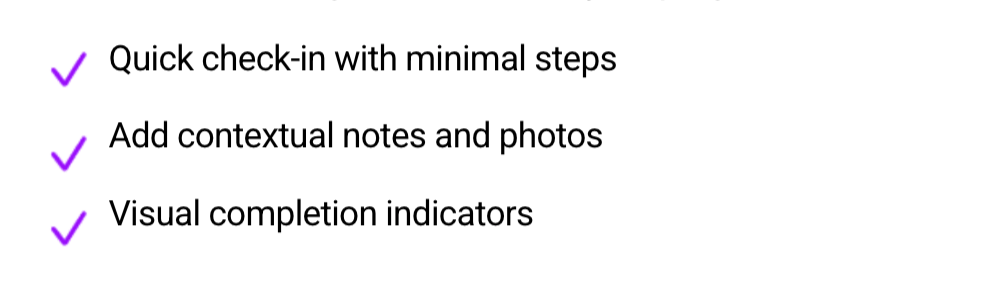
Habit Tracking
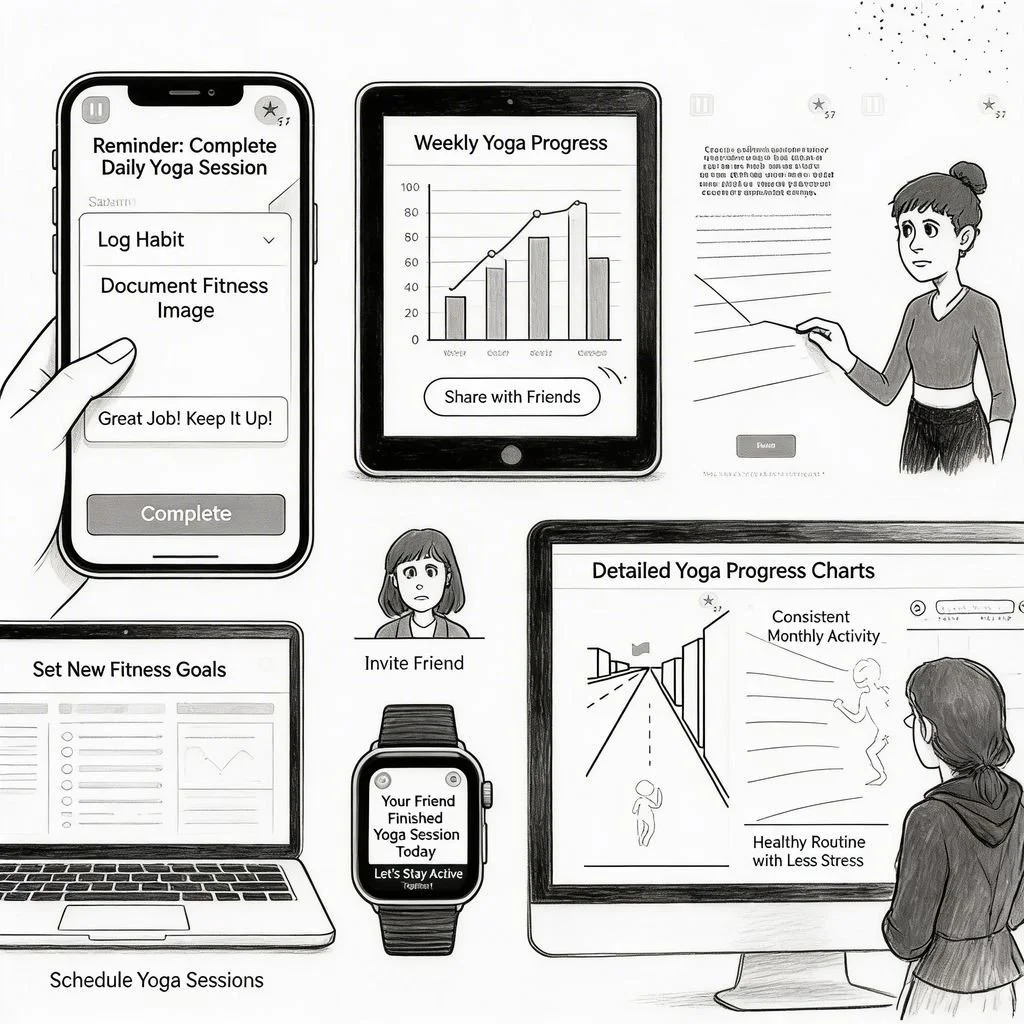
Log daily activities with a simple tap. Mark completion, add notes, or attach images to document your progress.
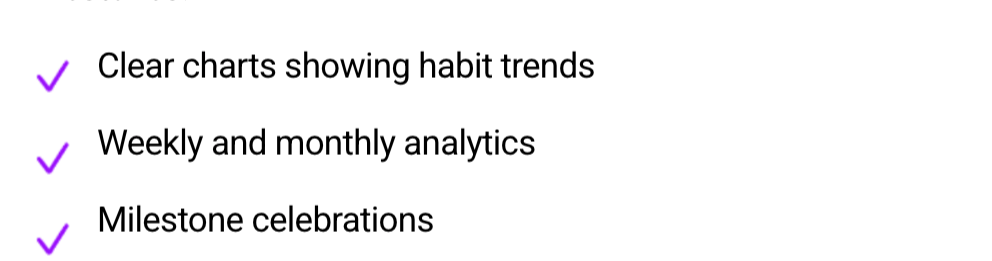
Progress Visualization
View your progress through easy-to-read charts and analytics. Track consistency over time and celebrate milestones.
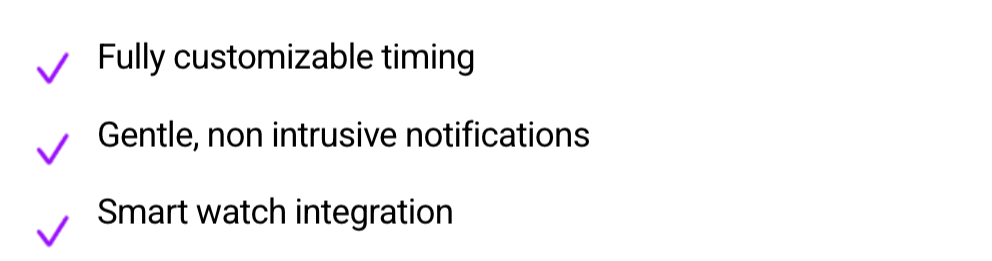
Smart Reminders
Customizable notifications that gently encourage without overwhelming. Set your own schedule and reminder preferences.
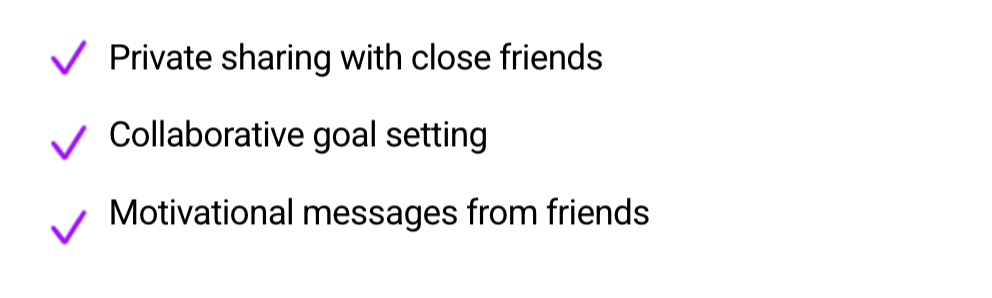
Social Accountability
Share your progress with selected friends for mutual support and accountability. Keep it private and meaningful.
User Testing
Testing Method
Conducted think-aloud usability testing with 5 participants to evaluate key flows including onboarding, habit creation, and tracking.
5
Participants
45min
Tasks Tested
12
Tasks Tested
Key Finding
Success: Simple Onboarding
All participants completed onboarding in under 2 minutes. The streamlined flow reduced drop-off significantly.
"This is so much easier than other habit apps I've tried" - Participant 3
Success: Visual Progress
Participants responded positively to charts and streak visualizations, reporting increased motivation.
"I love seeing my progress visually. It makes me want to keep going" - Participant 1
Challenge: Notification Settings
3 out of 5 participants struggled to find notification customization options in settings.
"Where do I turn off morning reminders?" - Participant 4
Challenge: Friend Invite Flow
The process of inviting friends was not immediately discoverable for 2 participants.
"I assumed I could add friends from the main screen" - Participant 5
Issue: Habit Editing
4 out of 5 participants expected to edit habits via long-press but the feature required navigating to settings.
"I tried to hold down the habit to edit it but nothing happened" - Participant 2
Improvements Implemented
Quick Edit Gestures
Implemented long-press to edit habits directly from the main screen, eliminating the need to navigate to settings.
1
Result: Most users (4/5) completed tasks more quickly
Prominent Friend Invite
Added "Invite Friends" button to home screen and included contextual prompts after completing first habit.
2
Result: Feature discovery improved from 2/5 to 4/5 users, increasing usability
Enhanced Visual Feedback
Refined animation timing and added haptic feedback to reinforce completed actions and milestone achievements.
3
Result: Most users (4/5) reported improved satisfaction
Notification Quick Access
Added notification toggle to main settings screen and onboarding flow for immediate customization.
4
Result: All users (5/5) could find notification settings more easily
Testing Impact
The iterative testing process was crucial in identifying pain points and validating design decisions. By implementing user feedback, we significantly improved the overall experience
80%
Task Success Rate
(4 out of 5 users)
4.6/5
Satisfaction Score
(4 out of 5 users)
60%
Would Recommend
(3 out of 5 users)
Reflection
This project reinforced the importance of simplicity in habit design. Reducing cognitive load and minimizing decision making helped users stay consistent in busy daily routines.
I learned that small, achievable actions are more effective than complex features. Designing for users’ individual lifestyles and stress levels allows habits to fit naturally into their lives.
Ultimately, successful habit design is not about adding more functionality, but about creating an experience that feels effortless and sustainable over time.
“Lower effort leads to higher consistency in habit formation.”
Takeaways
The design improvements led to clearer navigation and faster task completion, with most users able to complete key actions without assistance.
User feedback highlighted that the experience felt more intuitive, less overwhelming, and easier to integrate into daily routines.
This project strengthened my ability to design for real life constraints, focusing on creating experiences that are both practical and sustainable.